


Weather Forecast - Live Radar
4.6547.00 Reviews
App Specs
- Version
- 2.6.7
- Updated On
- License
- Free
- Downloads
- 5,000,000+
- Developer
- PlayStudioInc
- Categories
- Weather
- Platform
- Android
Screenshots
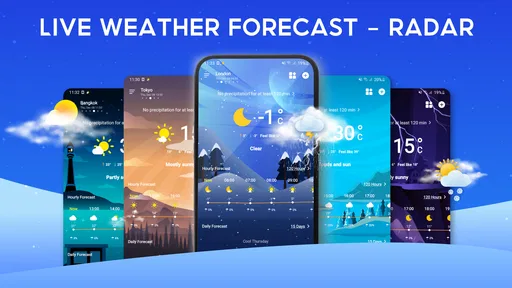
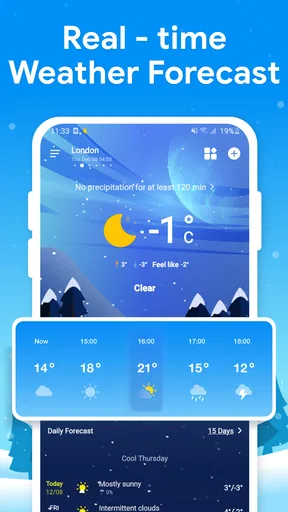
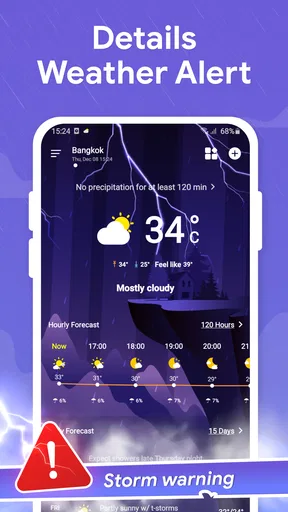
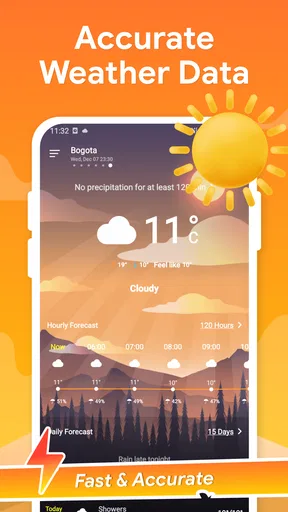
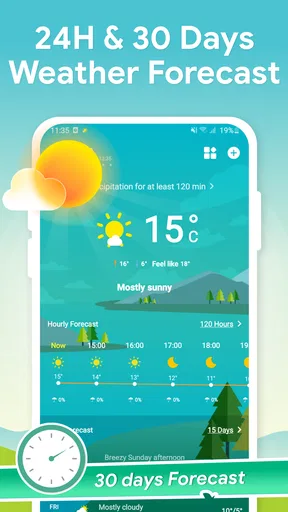
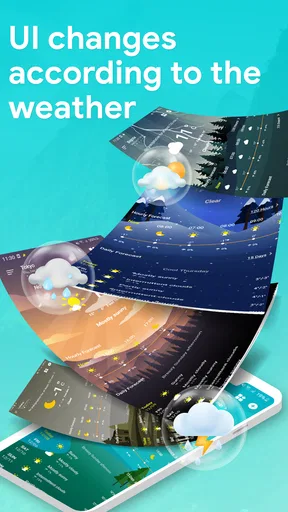
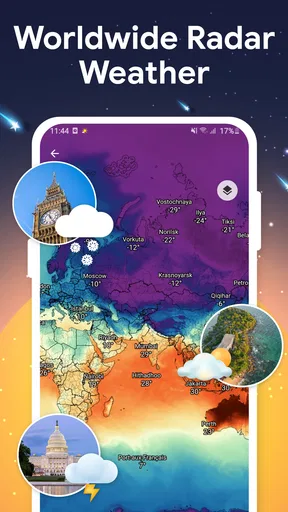
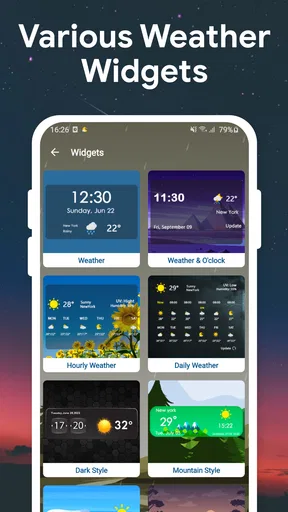
 Analysis by AppCompare
I judge a weather app less by how many details it can display than by how quickly it helps me make a decision: take a coat, change my route, or move an outdoor plan. Weather Forecast - Live Radar is built around that everyday check, with a radar view for watching approaching conditions and forecast information for looking ahead. That combination makes it useful as a regular reference, though I would treat any forecast as guidance rather than a guarantee.
Fast to check, not a substitute for judgment
For a quick glance, the clearest advantage is that current conditions and forecast details are presented together instead of making me hunt through separate tools. The live radar can add context when a general forecast says rain is possible: I can look at the map and decide whether it is worth waiting before leaving. That is a practical kind of speed—the app can shorten the decision, even though a map still takes a moment to interpret.
Radar is most useful when I already have a specific question, such as whether a shower seems likely to affect my neighborhood soon. I would not read a colored patch on a map as a precise promise about the next street or minute. Weather changes, and map displays have limits; for a time-sensitive trip or outdoor job, I would check again close to departure rather than rely on one earlier glance.
When a forecast becomes part of a busy day
A realistic use is planning a commute that includes a walk between transit stops. I can check the conditions before leaving home, then use the radar if rain looks possible and decide whether to carry an umbrella or choose a different route. If the forecast changes during the day, checking again before heading back is more sensible than assuming the morning view still applies.
The hourly and weekly outlooks serve different decisions. I find the shorter view more useful for choosing when to run errands or take a walk; a weekly forecast is better for spotting a possible wet day before arranging plans. I would keep a weekend plan flexible if it depends on exact timing, because a forecast several days out is a planning aid, not a firm appointment.
Details such as wind, humidity, and UV can answer questions that temperature alone cannot. A mild reading may still feel uncomfortable in strong wind, while a bright afternoon can call for sun protection even if the air does not feel especially hot. A useful habit is to check the relevant detail for the activity rather than scanning every number: wind before cycling, UV before spending hours outside, and rain timing before carrying equipment that should stay dry.
Useful for routine checks, with some trade-offs
Weather Forecast is a free weather app from PlayStudioInc. It has a 4.6 average from around 18,000 ratings, and it has been installed over five million times. Those figures suggest that it has found a substantial audience, but they do not tell me whether its local forecast will suit every town or every kind of weather decision. I would judge that by checking how consistently the app matches conditions where I live.
Worth Reading Before You Choose

Flipboard Shows What News Apps Must Do Beyond the Feed

Switching to Android Auto Means Rethinking Your Driving Routine

Google Calendar Makes a Crowded Week Easier to Manage

Ludo King Makes the Most of the Minutes Between Plans

Baby Panda World Brings Quick Play to Modern Phones, but Its Game Library Feels Busy

ESPN’s Live Game View Makes Following Close Games Easier
There is also a practical distinction between a dedicated forecast app and the basic weather panel many phones already provide. A built-in option is often enough if I only want the temperature. This app makes more sense when I want to move from a quick reading to radar, a longer outlook, or extra weather measures without switching tools. If I already use a specialist service for detailed storm analysis, however, this may work better as a convenient daily check than as a replacement.
Widgets can make routine checking easier by bringing weather information closer to the home screen. I would start with a simple setup and see whether it actually saves time; a widget is valuable when I glance at it before leaving, but less so if it adds clutter or encourages me to check constantly. Notifications deserve the same restraint. I would enable only alerts that affect real plans, since too many weather prompts can become noise and make the useful ones easier to ignore.
Reliability is about repeatable decisions
My standard for reliability is not that an app predicts every shower perfectly. It is whether the information is easy to revisit and helps me make a reasonable choice without unnecessary friction. The radar, current conditions, and forecast views give me several ways to assess the same day, which is more useful than treating a single icon as the whole story. When a decision matters, I would compare the forecast with what I can see outside and check again as the time approaches.
Weather Forecast is rated for Everyone and is free to download. In-app purchases range from $2.99 to $24.99 per item, so I would look carefully at any purchase prompt and decide whether it offers something I personally need before paying. The free starting point is appealing for someone who wants to try the everyday forecast workflow first; anyone who wants to avoid purchases altogether should still pay attention to what is optional inside the app.
First Impressions
From the moment you open Weather Forecast - Live Radar, you’re greeted by a sleek, user-friendly interface. The app doesn’t bombard you with unnecessary information; instead, it gets straight to the point. A quick glance gives you the current temperature, weather conditions, and a neat little icon to summarize the mood of the skies. I appreciate the simplicity and effectiveness—it’s like having a weather-savvy friend in your pocket!
Digging Deeper: Features Galore
Let’s talk features. One of the standout elements is the live radar. It’s not just a gimmicky name; it genuinely delivers real-time updates. The radar is intuitive to use and can be zoomed in and out depending on how close you want to track those rain clouds. I found it especially handy when planning outdoor activities. The precision is impressive, making it easy to dodge those sudden downpours.
Another feature I enjoyed is the hourly and weekly forecasts. It’s always nice to have a heads-up about what the weather has in store. Planning a picnic this weekend? Simply swipe to see a detailed prediction for the week. The app also provides wind speed, humidity levels, and UV index, which can be crucial for those sun-soaked days.
User Experience: Smooth Sailing
One of the things I love most about this app is how it caters to both casual users and weather enthusiasts. You can keep it simple or dive deep into the metrics that matter to you. Navigating through the app is smooth, with minimal lag or glitches. Plus, it’s available on both Android and iOS, so no one is left out in the cold, quite literally!
The app also offers customizable notifications. You can set alerts for specific weather conditions, ensuring you're never caught off guard. Imagine getting a gentle nudge on your phone reminding you to grab a jacket because a cold front is approaching—pretty neat, right?
Design and Accessibility
Visually, the app is a treat. The designers have done a fantastic job balancing aesthetics with functionality. The color scheme is easy on the eyes, with contrasting elements that make all information easily readable. It's also accessible, with options to adjust text size and toggle between light and dark modes, catering to your preferences and needs.
For those who like a bit of interaction, there’s a community section where users can share weather-related updates and tips. It feels like a mini social network, adding a personal touch to the weather-checking routine.
Performance on different devices
The app’s current version is 2.6.7, and it supports Android 6.0 and later. That makes it an option for people using older Android devices, although the experience on any particular phone will depend on the device itself. I would not assume that every screen, widget, or map interaction feels equally quick across all hardware. If your phone is older or already struggles with demanding apps, try the basic forecast first and see whether the radar remains comfortable to use.
Weather apps can vary in how much attention they demand. A quick conditions check is a lighter habit than repeatedly opening a map, changing its scale, and revisiting forecasts through the day. If battery life or mobile data is a concern, I would avoid leaving radar open when I only need a temperature check. That is a useful general distinction for map-based weather viewing, not a claim that this app has a particular resource footprint.
For a smoother routine, I would settle on one or two ways to check the weather rather than opening every section each time. A glance at a widget can answer the basic question; the radar is the next step when rain timing affects a plan. Keeping those tasks separate makes the app feel more purposeful and reduces the temptation to treat every forecast detail as equally important.
Who will get the most from it
I would recommend it to someone who checks the weather several times a day, especially if they want radar and more than a single current-temperature reading. It also suits people who plan walks, school runs, errands, or outdoor meetups around changing conditions. The mix of quick information and deeper views gives casual users room to stay brief while letting curious users inspect additional measures.
It is less compelling if all you ever need is the temperature shown by your phone’s built-in weather display. It may also be the wrong fit for someone who needs specialist forecasting for aviation, marine travel, severe-weather operations, or other high-consequence decisions. In those cases, I would choose a dedicated source designed for that purpose and use this app, at most, as a convenient second look.
Community posts can add a local human perspective, but I would treat them as informal observations rather than verified forecast guidance. They may help explain what someone nearby is seeing, yet a user update is not a substitute for the forecast or an official warning. That distinction matters most when the weather could affect safety rather than comfort.
Making the app work for your routine
One helpful approach is to check the forecast at a decision point, not simply out of habit: before leaving, before starting an outdoor task, or before committing to a plan that would be difficult to move. If the radar and the written forecast seem to tell different stories, I would avoid overcommitting and check again nearer the activity. This simple workflow is more useful than trying to extract certainty from a single screen.
For a family outing, for example, I might use the weekly outlook to choose a promising day, then look at the hourly view on the morning itself. If the plan involves a long walk, wind and UV deserve attention alongside rain. If it is just a short trip to a shop, those extra details may not change anything. Matching the amount of checking to the stakes keeps weather planning practical instead of fussy.
People often wonder whether the app can replace checking outside. I would not use it that way. The forecast helps me prepare, but local conditions can shift, and seeing dark clouds or feeling a sudden gust is relevant information too. The app is at its best as one part of a decision, not as an authority that overrides what is happening around me.
Another reasonable question is whether the longer forecast is dependable enough for plans. I use it to identify likely windows and keep alternatives in mind, then revisit the shorter-range information as the day approaches. That approach is useful with any forecast tool: the further ahead the plan, the more flexible I try to be. The value is early awareness, not a guarantee that a particular hour will unfold exactly as predicted.
Final Thoughts: Is It Worth It?
In conclusion, Weather Forecast - Live Radar is a robust, reliable weather app that offers a comprehensive suite of features without overwhelming the user. Whether you’re a casual weather-checker or someone who needs precise, up-to-date information, this app has got you covered. The live radar feature alone makes it worth downloading, especially for those unpredictable weather days.
So, if you’re tired of being caught off guard by the weather, give Weather Forecast - Live Radar a whirl. It’s like having a meteorologist in your pocket, ready to guide you through rain, shine, and everything in between.
My overall take is that its appeal lies in convenience: I can start with a simple glance and turn to radar or additional conditions when a real decision calls for them. The free download makes it easy to try that routine, while the optional purchases are worth considering only if their contents match a need I actually have. I would keep it if its local forecasts prove useful in my day-to-day life, and look elsewhere if I need specialist warnings or a more technical weather service.
Pros
- Accurate real-time weather updates.
- User-friendly interface for quick navigation.
- Customizable alerts for severe weather.
- Detailed hourly forecasts available.
- Interactive radar maps with animation.
Cons
- Ads can be intrusive at times.
- Requires internet for live updates.
- Some features need in-app purchases.
- Battery usage can be high with GPS.
- Occasional delays in radar updates.
FAQs for Weather Forecast - Live Radar
What features does Weather Forecast - Live Radar offer?
Weather Forecast - Live Radar provides real-time weather updates, live radar maps, and extended forecasts. It includes features such as severe weather alerts, temperature tracking, and customizable notifications. The app also offers detailed weather conditions, including humidity, wind speed, and atmospheric pressure, making it a comprehensive tool for weather enthusiasts.
Is Weather Forecast - Live Radar available for both Android and iOS?
Yes, Weather Forecast - Live Radar is available for both Android and iOS devices. You can download it from the Google Play Store for Android devices and the Apple App Store for iOS devices. The app is optimized for various devices to ensure a seamless user experience across platforms.
Does Weather Forecast - Live Radar require an internet connection?
Weather Forecast - Live Radar does require an internet connection to provide the most accurate and up-to-date weather information. While some features may work offline, such as previously downloaded forecasts, live radar and real-time updates necessitate a connection to function effectively.
Are there any in-app purchases or subscriptions in Weather Forecast - Live Radar?
Weather Forecast - Live Radar offers a free version with basic features. However, there are in-app purchases and subscription options available that unlock premium features such as ad-free usage, enhanced radar capabilities, and personalized weather alerts. Users can choose the plan that best suits their needs.
How accurate is the weather data provided by Weather Forecast - Live Radar?
The app sources its weather data from reliable meteorological agencies and uses advanced algorithms to ensure accuracy. While no weather app can guarantee 100% precision due to the nature of forecasting, Weather Forecast - Live Radar is known for providing highly reliable and timely information to its users.


